TL;DR: Email impersonation is when an attacker poses as a trusted person or organization in an email to get the recipient to send money, share credentials, or click a malicious link. The main types are exact-domain spoofing, lookalike domains, display name spoofing, and compromised accounts. DMARC at enforcement stops exact-domain spoofing. The other types need filtering, monitoring, and trained people.
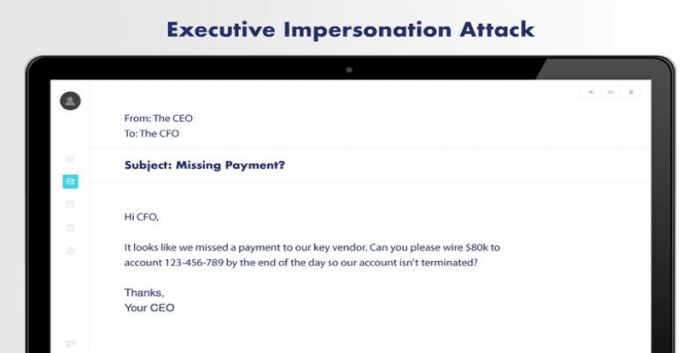
An email from your CFO asks accounts payable to update a vendor’s bank details before Friday’s payment run. The name is right, the tone is right, and the request sounds routine. That’s what makes impersonation work: it doesn’t need malware, only a believable sender.
Below, we’ll cover the types of email impersonation attacks, which defenses stop each one, and how to protect your organization and the people who receive email in your name.
What is email impersonation?
Email impersonation is a cyberattack in which someone poses as a trusted person or organization in an email. The attacker borrows that trust to get the recipient to do something: wire money, share login details, open an attachment, or click a link.
It’s a prevalent form of cyberattack that exploits the inherent trust we place in our inboxes and the people (and businesses) we communicate with. It works on employees, customers, and partners alike. A successful attack can lead to:
- Legal and regulatory consequences, if customer data is exposed
- Financial loss, from fraudulent payments and the cost of cleaning up afterward
- Reputational damage, when customers receive scams that appear to come from your brand
6 types of email impersonation attacks
Attackers fake a sender in a handful of ways. Each one exploits a different weakness, and that matters for which defenses stop it.
1. Exact-domain spoofing
The attacker puts your real domain in the “From” address, for example ceo@yourcompany.com, without having access to your systems. Without DMARC enforcement, mailbox providers can deliver these messages like any other. See what is email spoofing for how it works.
2. Lookalike domains
The attacker registers a domain that looks almost like yours, such as yourcompnay.com or yourcompany-billing.com. The domain is technically legitimate, so it can pass authentication on its own. Valimail’s free Domain Lookalike Finder shows lookalikes registered against your domain.

3. Display name spoofing
The attacker sends from a free webmail account but sets the display name to someone the recipient trusts, like “Jane Smith, CEO” or “IT Helpdesk.” Many email apps, especially on mobile, show the display name and hide the address. This is also called a friendly-from or open-signup attack.
4. Compromised accounts
The attacker takes over a real mailbox, often with stolen credentials, and sends from it. The messages are authentic in every technical sense, which makes this the hardest type to catch.
5. Thread hijacking
The attacker inserts themselves into an existing email conversation, often between a company and a vendor during a payment. They reply in the thread from a lookalike domain or a compromised account and redirect the payment.
6. Executive and vendor impersonation
Business email compromise (BEC) uses the methods above to pose as an executive, a vendor, or a partner and request a payment or sensitive data. When the target is a senior executive, it’s called whaling. Our guide to BEC attacks covers both in depth.
Which defenses stop which impersonation attacks?
No single defense stops every type of impersonation. Here’s how they line up:
| Attack type | What stops it |
|---|---|
| Exact-domain spoofing | DMARC at enforcement (p=quarantine or p=reject) |
| Lookalike domains | Lookalike domain monitoring, secure email gateways, and trained employees |
| Display name spoofing | Secure email gateways, external sender warnings, and trained employees |
| Compromised accounts | Multifactor authentication and behavior-based detection |
| Thread hijacking | Payment verification procedures and secure email gateways |
| BEC and whaling | All of the above, plus a rule that payment changes are confirmed by phone |
Email authentication and secure email gateways (SEGs) cover different ground. Authentication proves who sent a message, so mailbox providers can block messages that spoof your domain outright. SEGs analyze content and behavior to catch threats that come from other domains or compromised accounts. Strong email impersonation protection uses both.
How to stop email impersonation
Knowing the threat is one thing—but learning how to stop an impersonation attack is a whole other ordeal. While attacking tactics change from time to time, we’ve found the following best practices to be the best defense against email impersonation.
We know you’re busy, but preventing a cyberattack is much easier than recovering from it. Implement these prevention mechanisms as soon as possible to protect your brand and stop an impersonation attack.
1. Take advantage of DMARC, DKIM, and SPF
Implementing email authentication protocols can safeguard your brand against domain spoofing and phishing attacks:
- Domain-based Message Authentication, Reporting, and Conformance (DMARC): DMARC is an email authentication protocol designed to give email domain owners the ability to protect their domain from unauthorized use, commonly known as email spoofing. It leverages SPF and DKIM authentication mechanisms and provides a policy for handling emails that fail authentication, along with reporting capabilities to improve and monitor email protection.
- DomainKeys Identified Mail (DKIM): DKIM allows senders to associate a domain name with an email message by adding a digital signature to the email headers. This signature is validated against a public cryptographic key in the sender’s DNS records to prove that the email wasn’t altered during transit.
- Sender Policy Framework (SPF): SPF is an email authentication method that detects and blocks email spoofing by providing a mechanism to allow receiving mail exchangers to verify that incoming mail from a domain comes from an IP Address authorized by that domain’s administrators. It works by defining a policy that specifies which mail servers are permitted to send email on behalf of a domain.
Getting all this set up can take a bit of time—that’s why we created Valimail Enforce. It accelerates your journey to DMARC enforcement with world-class automation, all without any manual SPF, DKIM, or DNS configuration on your end.
2. Study the latest cyberattacks
Keep up to date on the latest cyberattack trends and tactics to help you anticipate and prepare for potential threats. Cybercriminals continually evolve their strategies, exploiting new vulnerabilities and devising sophisticated attack mechanisms.
Regularly reviewing cyber threat intelligence and participating in cybersecurity forums and communities can provide insights into emerging threats and preventive strategies. Staying proactive ensures your defense mechanisms are always one step ahead of the bad guys.
3. Use multifactor authentication
Multifactor Authentication (MFA) adds an additional layer of security by requiring multiple forms of verification before granting access. Even if a cybercriminal obtains user credentials, MFA prevents unauthorized access by requiring a second form of identification, such as a temporary code sent to the user’s phone.
Implementing MFA across all email accounts and sensitive data access points significantly enhances your cybersecurity posture.
4. Train your employees
Employees are often the first line of defense against email impersonation attacks. Provide them with regular training sessions that educate them on recognizing and responding to phishing and impersonation attacks.
Simulating phishing attacks can also help assess their preparedness and identify areas requiring additional training, ensuring they can effectively intercept real-life impersonation attempts.
While training your employees is important, the best defense is stopping these emails from ever getting into the inbox. This is where DMARC comes in.
With the use of Enforce, Valimail helped customer Travers Smith get to DMARC enforcement in 90 days to block an average of 95,000 phishing emails a month to secure their email communication.
“Prioritizing our DMARC implementation with our management team was easy once we explained the risk and how we could eliminate the risk – and protect the Travers Smith brand, our customers, employees, and partners.”
Darragh Macken, Head of Information Security at Travers Smith
5. Monitor for cyberthreats
Continuous monitoring for cyber threats enables you to promptly detect and respond to potential attacks. Employing threat detection tools and establishing a cybersecurity response team helps you swiftly identify and mitigate threats, minimizing potential damage.
Monitoring should also include keeping an eye on domain registrations similar to your company’s to detect potential impersonation attempts.
We offer Valimail Monitor as a free service to everyone. It provides a seamless monitoring solution, pinpointing your services by name and removing the complexities of manually deciphering raw IP data in DMARC reports. Quickly recognize and authorize all senders, highlight potential threats from malicious actors, and initiate DMARC enforcement with Monitor.
6. Perform regular audits and simulated attacks
Conduct regular cybersecurity audits to assess the robustness of your defenses. Simulated attacks test the practical application of your security policies and the readiness of your team, revealing vulnerabilities in a controlled environment. These practices help refine your security protocols and enhance your preparedness for actual cyberattacks.
7. Mitigate the impact
Remember, attacks will happen. And, unfortunately, some might breach your defenses. When they do, you need a well-defined incident response plan to manage the threat and mitigate the damage.
This involves identifying the breach, containing the threat, eliminating the cause, and recovering data and systems. Post-incident analysis provides insights into improving your defense mechanisms and preventing recurrence.
8. Adopt BIMI
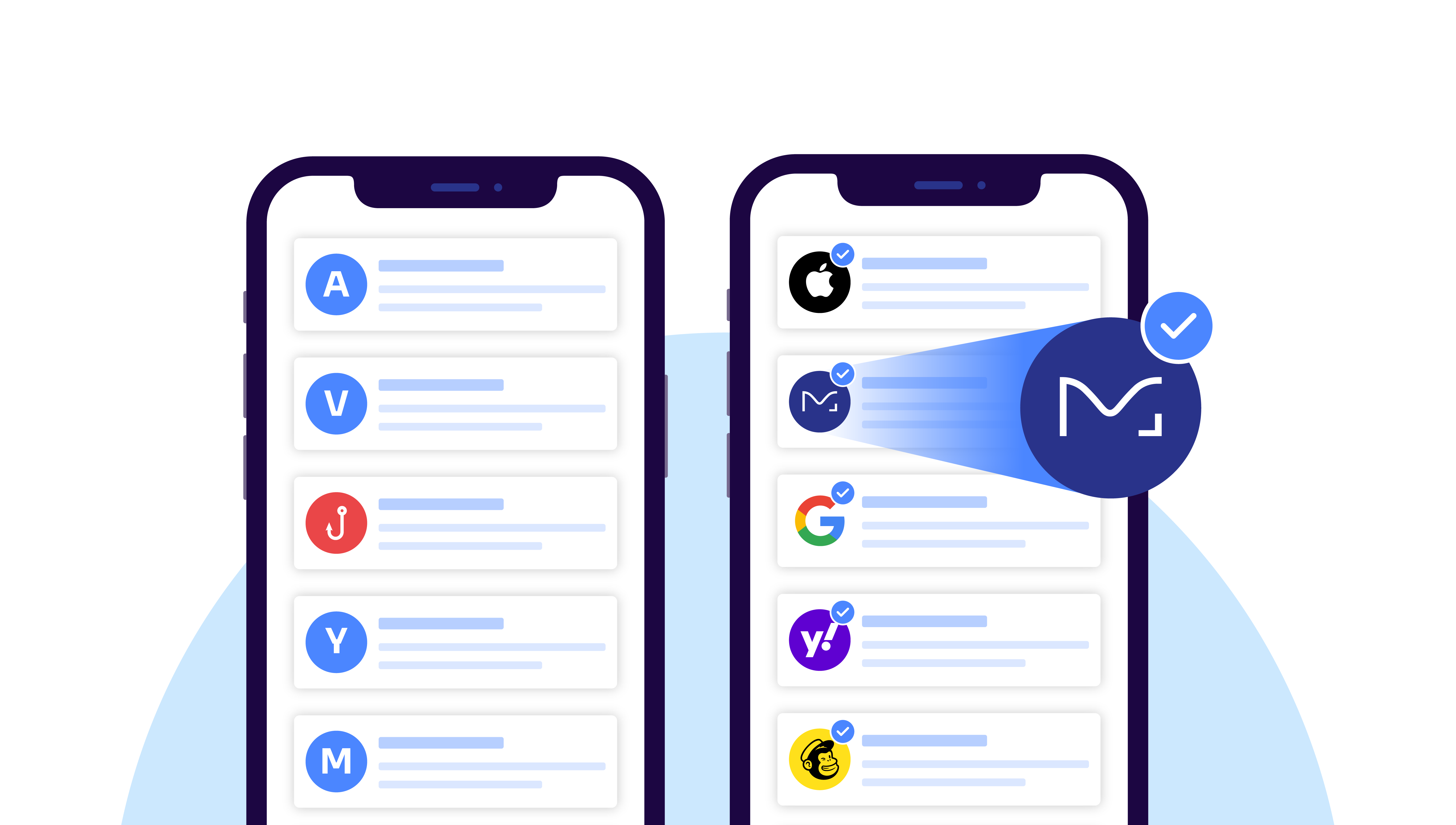
Brand Indicators for Message Identification (BIMI) allows brands to display a logo next to their emails, providing a visual verification of authenticity. BIMI works in conjunction with DMARC to guarantee that only authenticated emails show the brand logo in the recipient’s inbox.
This enhances brand visibility and provides an additional layer of verification, strengthening customer trust and reducing the likelihood of successful impersonation.
Stop attackers from borrowing your domain
Attackers will keep impersonating whoever their targets trust. You can’t control that, but you can make sure your own domain isn’t the one they borrow.
Enter Valimail Monitor.
Start by seeing who’s sending email as your domain. Valimail Monitor is free and shows every sender by name, which ones pass authentication, and what to fix before you move to enforcement.
FAQs
Can an email address be impersonated?
Yes. Without DMARC enforcement on a domain, an attacker can put any address from it in the “From” field. Attackers can also register lookalike domains, set a misleading display name on a free account, or take over a real mailbox.
How do you stop email impersonation?
Use layered defenses. DMARC at enforcement stops exact-domain spoofing of your domain. A secure email gateway catches lookalike domains and display name spoofing. Multifactor authentication prevents most account takeovers. A rule that payment changes are confirmed by phone stops most business email compromise.
Can email spoofing be traced?
Partly. The message headers show the server and IP address a spoofed email came from, and DMARC reports show where messages using your domain originate. Attackers often send through compromised servers or anonymous services, though, so tracing an IP address to a person usually takes help from law enforcement.
What should I do if someone is impersonating my email?
Check your DMARC reports to see where the messages are coming from, then move your domain to DMARC enforcement so mailbox providers block them. If your account was compromised, reset your password, turn on multifactor authentication, and review forwarding rules. Warn your contacts so they don’t act on the fake messages.